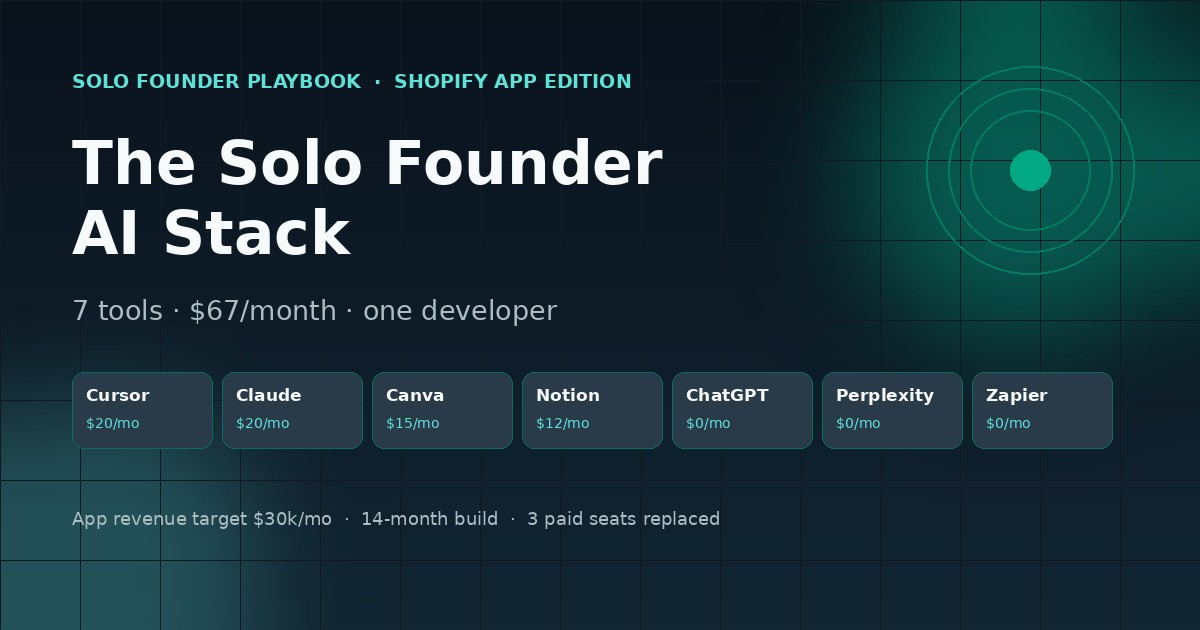
A $67/month stack for one developer shipping a paid Shopify app — codes, writes the listing, answers the support queue, and still has time to ship.
This stack is for the solo builder who wants a recurring-revenue Shopify app: one person, one codebase, one App Store listing, and a support inbox that fills up whether you are ready or not.
It is not for agencies shipping custom apps for clients — those need a development retainer and a designer, not a $67 tool stack. It is also not for someone building a theme or a storefront tweak; theme work is one-off, whereas an app is a subscription that has to survive app review, merchant churn, and merchant support for years.
The pattern below comes from founder write-ups on Indie Hackers, Shopify’s partner community, and Starter Story interviews with app developers. The ones who reach $30k/month typically took 14–18 months, launched a second app after the first plateaued, and ran a lean stack under $100/month for the whole first year.
The stack at a glance
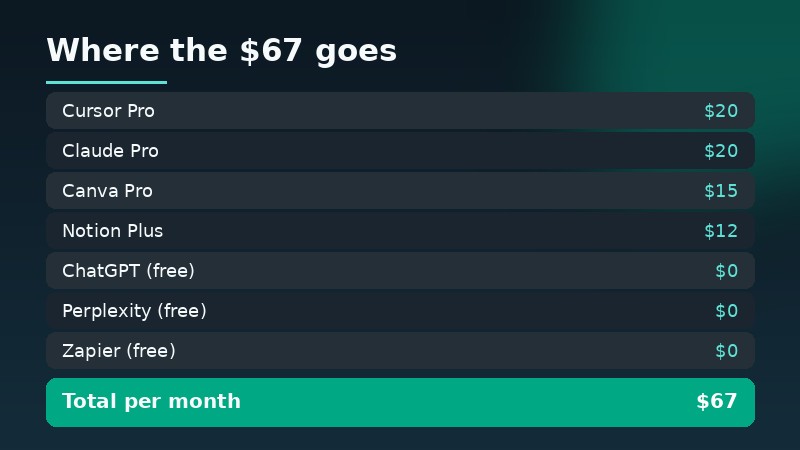
| Role | Tool | Monthly | Cheaper alternative | Time in use |
|---|---|---|---|---|
| App code and refactors | Cursor Pro | $20 | GitHub Copilot ($10) | 14 months |
| API docs, support replies, listing copy | Claude Pro | $20 | ChatGPT free tier | 9 months |
| App Store screenshots and graphics | Canva Pro | $15 | Ideogram | 1 year |
| Roadmap, support queue, changelog | Notion Plus | $12 | Airtable free plan | 2 years |
| First-draft merchant emails | ChatGPT free tier | $0 | Claude free tier | Daily |
| Shopify API and changelog research | Perplexity | $0 | Shopify docs search | Daily |
| Support triage and review alerts | Zapier free plan | $0 | Make free plan | 6 months |
Total: $67/month. Four paid subscriptions, three free tiers doing real work.
Three budget tiers
Stage 1 — $0/month: build one working app
Free Cursor tier, free Claude, Canva free, Notion free, Shopify’s free Partner account and a development store. Your only cost is time. Ship a single-feature app that does one job merchants already pay for — order editing, bundle pricing, cart upsell — and install it on ten stores you control.
Do not buy anything in this stage. The failure mode here is paying for tools to compensate for a product that nobody installed.
Stage 2 — about $50/month: get through app review
Add Cursor Pro ($20) and Claude Pro ($20) once you are writing real GraphQL against Shopify’s Admin API, plus Canva Pro ($15) for the listing assets. App review has specific requirements around billing, uninstall handling, and data privacy — the drafts that fail review are usually the ones written without a configured environment to test against, which is what Cursor Pro gives you.
Stage 3 — about $200/month: scale past the first hundred merchants
At roughly 100 paying merchants, three things start breaking: support volume, release cadence, and analytics. Add Zapier’s paid plan ($30) for triage rules, a paid analytics or logging tool ($20–$40), Notion’s paid seats if you bring in a contractor ($12–$24), and keep $50 of budget for API overage during bulk data migrations. That lands near $200 without hiring.
Tool by tool: when to pick it, when to skip it
1. Cursor Pro ($20) — the whole engineering team
Shopify apps are small but fiddly: GraphQL mutations, webhook verification, billing callbacks, theme app extensions. Cursor handles a whole app folder at once, so a migration from REST Admin API to GraphQL is a morning, not a week.
Skip it if your app is a single-file script or if you are not touching code at all — a merchant-facing app without code does not exist.
2. Claude Pro ($20) — docs, replies, and listing text
Three jobs in one seat: reading Shopify’s API changelog and telling you what will break, writing support replies that do not sound like a robot, and producing the App Store listing copy in the format review expects. It keeps a long context, which matters when the same ticket thread runs for six messages.
Skip it if you have fewer than ten installs. At that volume, free tiers and short prompts are enough and $20 is better spent on a development store.
3. Canva Pro ($15) — screenshots that convert
The App Store shows five screenshots and a short description. Merchants decide in about eight seconds. Canva Pro’s resize and brand kit keep all five screenshots on one grid and one colour set, which is what separates a listing that looks maintained from one that looks abandoned.
Skip it if you already use Figma. Do not skip the screenshots themselves — listings without clear before/after screenshots consistently underperform.
4. Notion Plus ($12) — the thing that keeps you sane
One page for the roadmap, one database for support tickets with a “waiting on merchant” status, one page for every release with what changed. Without this, you will answer the same question four times and forget which merchant reported the bug you just fixed.
Skip it if you already run a spreadsheet + Linear. The tool is irrelevant; the single source of truth is not.
5. ChatGPT free tier ($0) — fast drafts for merchant emails
Good for the 40 short messages a week: billing questions, “how do I enable the feature”, review responses. Use it for volume, not for anything that touches code correctness.
6. Perplexity ($0) — API research without tab archaeology
Shopify’s API docs, changelog, and partner requirements change constantly. Perplexity returns cited answers, which matters because a wrong guess about billing API behaviour can fail app review and cost you two weeks.
7. Zapier free tier ($0) — triage that does not need a human
Route new support emails into Notion, ping yourself when a review drops, and post a message when a merchant uninstalls. Five Zaps on the free plan cover it. This is the cheapest way to stop living inside your inbox.
What $67 actually buys — and the hidden costs
The honest monthly picture for a solo app developer:
- Tool stack: $67
- Production Shopify store for testing (required to install a public app): about $39 on the Basic plan
- App hosting: $0–$20 (Shopify Functions and most serverless hosts have free tiers; a Node app on a small VPS is ~$12)
- Domain and email: $0–$10
Hidden costs people forget:
- Shopify’s revenue share. The App Store takes a cut of app revenue — the terms have changed several times since 2021 and currently favour your first million. Confirm the current rate on Shopify’s partner page before you set your price.
- API and AI overage. Bulk operations across a thousand merchants can burn $20–$40 of model usage in one migration if you route every record through an AI call. Batch it or keep it deterministic.
- Review cycles. A rejected submission can cost a week of revenue. Budget for two rounds on your first app; almost nobody passes clean the first time.
- Chargebacks and refunds. App revenue is not net revenue. A 3–5% refund rate on monthly billing is common when merchants churn in month two.
Realistic monthly cost in year one: $110–$130, not $67. The stack is the cheap part.
Three mistakes that cost the most
- Building three features before validating one. Apps that reach $30k/month usually started as a single-purpose tool priced at $9–$19. Merchants install for one specific fix; extra features are what you sell them later, not what you launch with.
- Pricing below your support cost. At $5/month, one support ticket per merchant per month already eats the margin. Charge enough that support is funded, and use Zapier plus Notion to keep the queue from becoming your full-time job.
- Treating app review as a formality. Billing API integration, uninstall webhooks, and data-deletion handling are the three most common rejection reasons. Read the requirements before you write the billing code, not after the rejection.
FAQ
Do I need a paid Shopify plan to publish an app?
You need a Shopify Partner account (free) plus a development store to build against. To install and test a public app the way a merchant does, you eventually need a paid store on a real plan. Budget the $39 Basic tier — it is a real line item that most stack write-ups leave out.
How long from idea to first paying merchant?
Three to six months to build and pass review, then two to four months of listing work and outreach before installs become steady. Founders reporting $30k/month are usually 12–18 months in with a second app already live.
Which tool would I drop first?
Canva Pro, if you already design in Figma. Not Cursor and not Claude — those two are the actual work. And if you never write code, this whole stack is the wrong stack for you.
Sources
Pricing verified on 14 November 2026 against each vendor’s official page: Cursor, Anthropic (Claude Pro), Canva, Notion, OpenAI (ChatGPT), Perplexity, Zapier, and Shopify’s partner and plan pages. Prices and revenue-share terms change without notice — check before you subscribe.
Browse the full AI tool library →
Disclosure: this site lists AI tools and may earn a commission from some links. Pricing and product details were checked at publication; confirm on the vendor’s page before buying.